Where is this order, according to whom?
For most tracked things, where is it now? has a place for an answer. HVAR sells home appliances in Egypt, and for its orders the honest answer is a second question: according to whom?
The store knows what the customer bought. The ERP knows what was invoiced and what’s on the shelf. The call center knows what the customer said on the phone. The warehouse knows which parcel physically left, and the courier knows where it is now. Each of these is true, and each can be out of date. The Hub’s own README puts it in one line: “Not a CRM. A reconciliation layer between three realities.”
Behind the diagram are four repositories: a Bun and Astro storefront (200 commits, 2026-06 to 2026-09), a Laravel ERP (181), a Flask and React ops hub (150), and an MCP server (10). Live, the store holds 719 orders from 777 customers.
Everything below follows one order through them, using screens from demo instances on scratch databases. The names and numbers are made up; the behaviour is the real code.
The customer is a phone number
In Egypt, a phone number is how people sign up for everything. HVAR’s store uses nothing else: a known number logs in and a new number creates an account. There’s no password and no code sent by SMS.
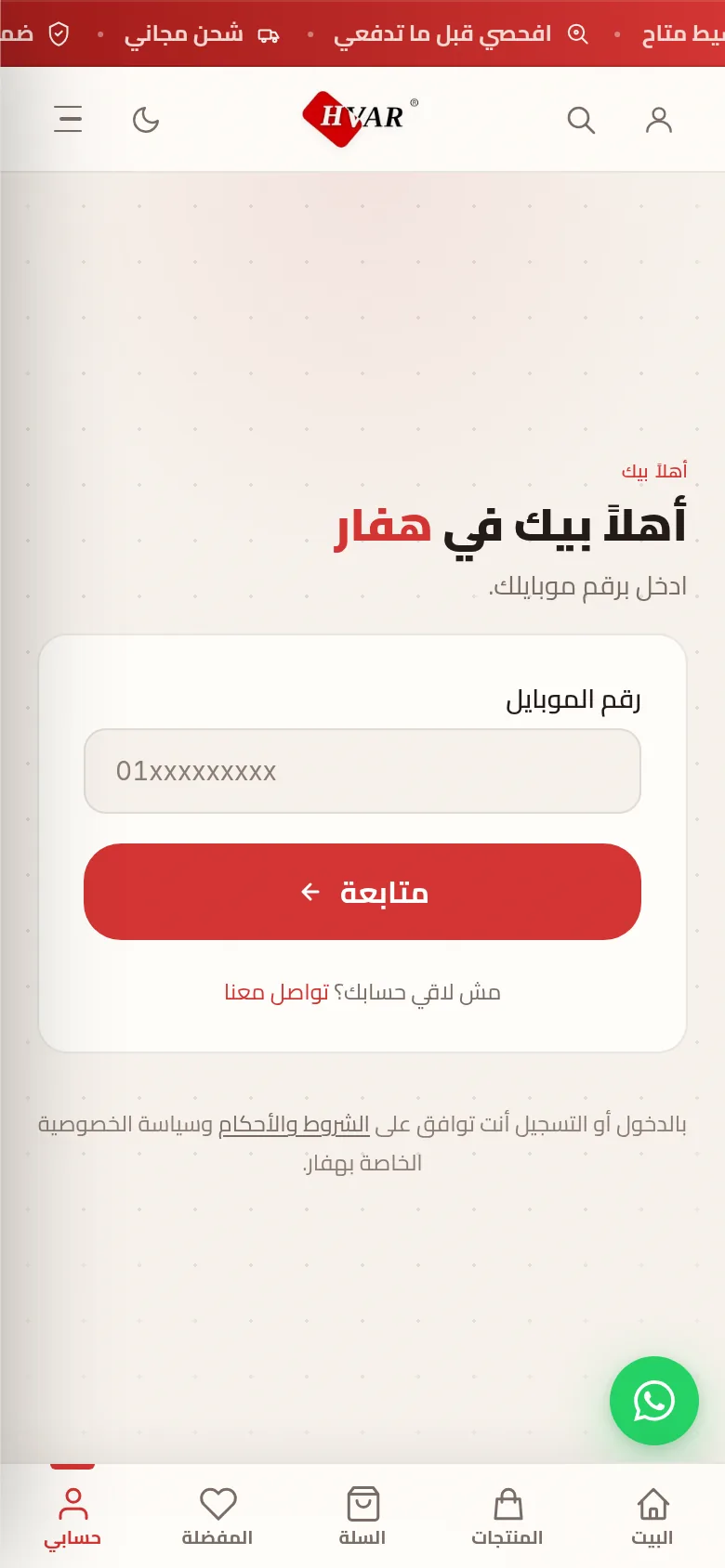
A login with no secret is a trade, and the code says so. The endpoint allows
12 attempts a minute per IP (auth.ts:492), so a stranger can’t walk a
range of numbers to find out who shops here.
The order waits for a person before the ERP sees it
The obvious design sends every order to the ERP at checkout. HVAR used to, and stopped. The comment where that call used to be explains why:
// ERP draft creation is no longer auto-fired at checkout. Orders land in
// the admin queue with erp_status='unsent'; an admin reviews and clicks
// "Send to ERP" (single, bulk, or select-all) on /admin/orders. This
// avoids draft drafts for orders that get cancelled before payment
// clears, and lets ops scrub addresses before the ERP draft is created.
A cancelled order that already reached the ERP is a draft someone has to find and delete by hand. So a person looks first.
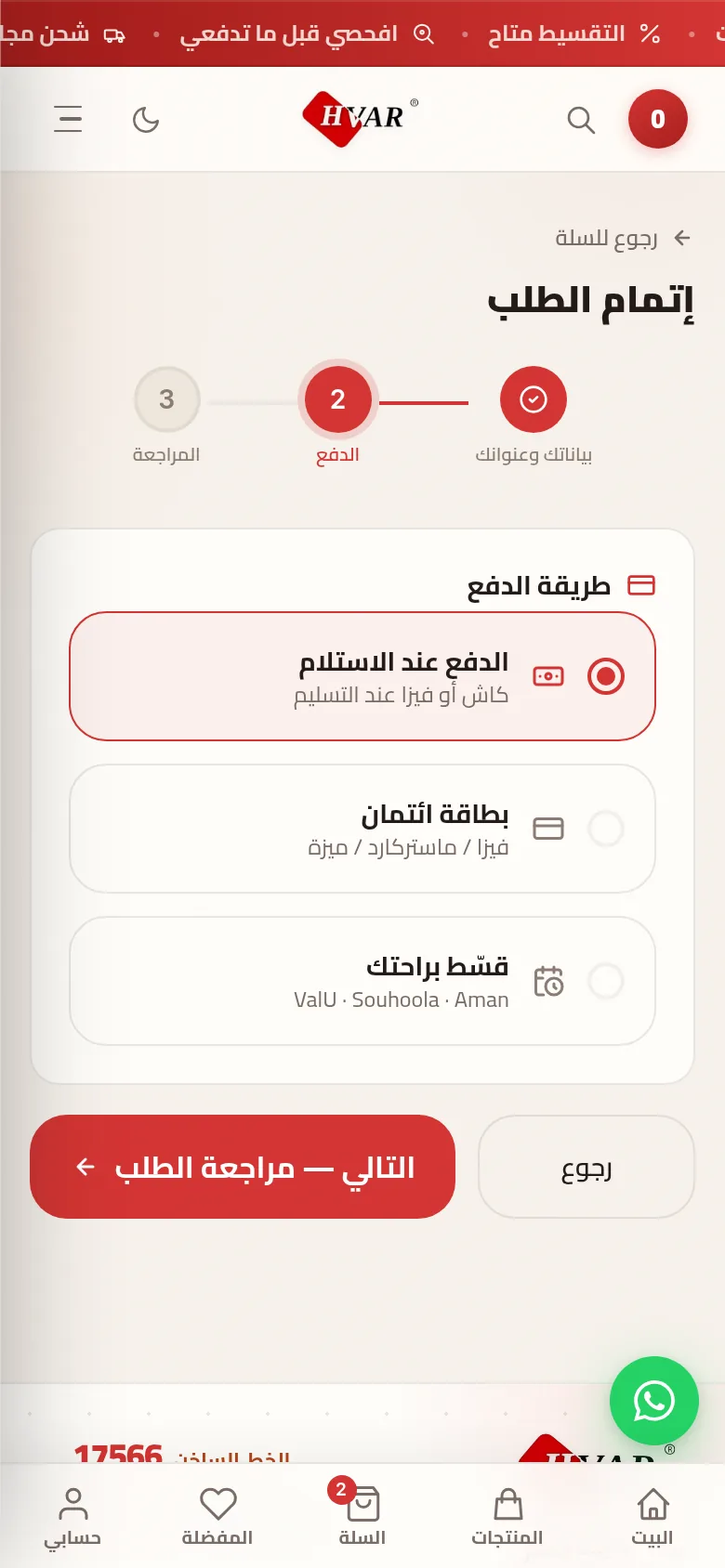
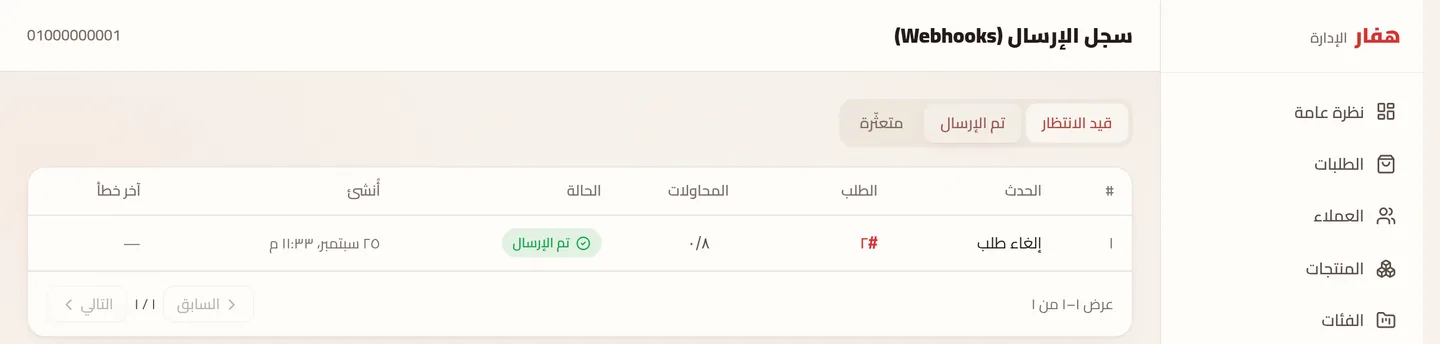
When the admin sends it, the store checks the ERP’s stock again, because the shelf may have changed since checkout. A short item stops the send and names the product. Then the order goes into an outbox table in the same database transaction, and a worker delivers it, with up to 8 attempts.
The hard case is a customer who cancels while the order is still in the
outbox. A delete could arrive before the create it’s meant to cancel, and the
ERP would then create a draft nobody ever cancels. So the store never sends
that delete. If the create hasn’t been delivered yet, it marks it dead in
place, “superseded by cancellation”, and the ERP never hears about the
order at all (webhook-outbox.ts:63-77).
One trap is written down where the payload is built: the ERP matches products
by website_product_id, not by its own id. Send the wrong one and the ERP
answers 200 OK and creates nothing (erp-payload.ts:12). A silent success
like that is why the send goes through a queue that records every event.
The call center hears the customer’s version
The ERP now holds a draft. The Hub pulls those drafts every 20 minutes.
Before it starts, it takes a named MySQL lock with a zero timeout, so if two
servers wake up together, one syncs and the other skips
(erp_sync_worker.py:322).
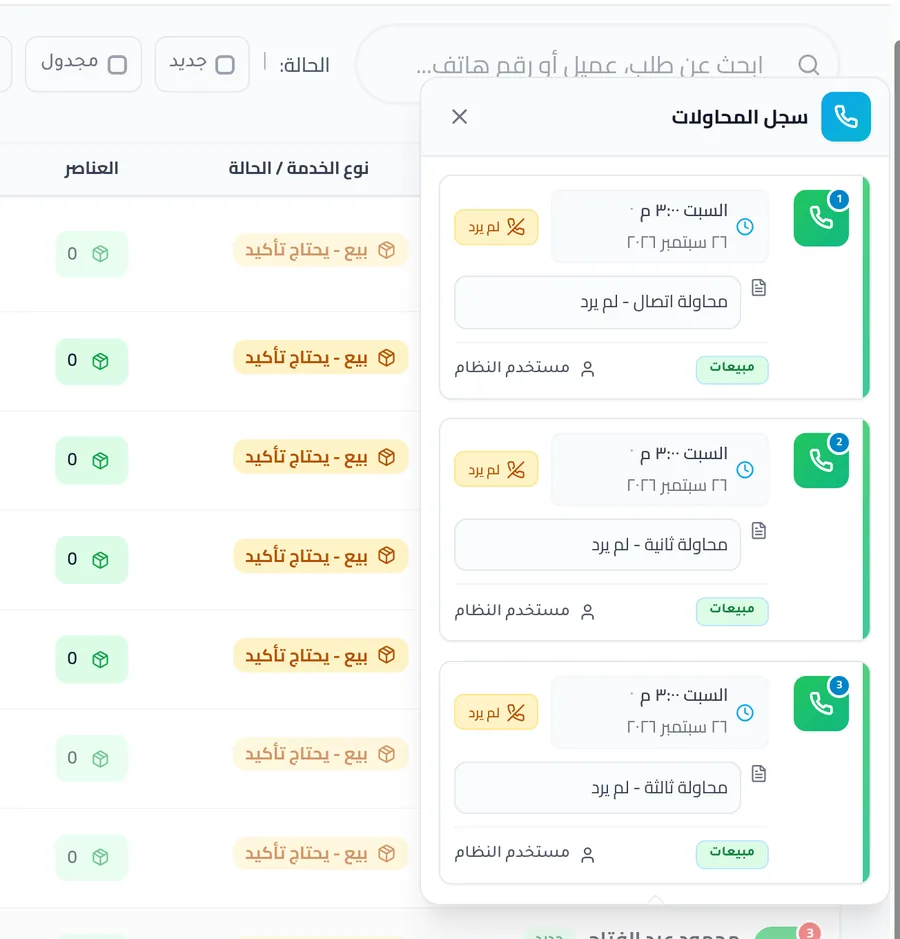
Every pulled order lands in a queue, and an agent calls the customer:
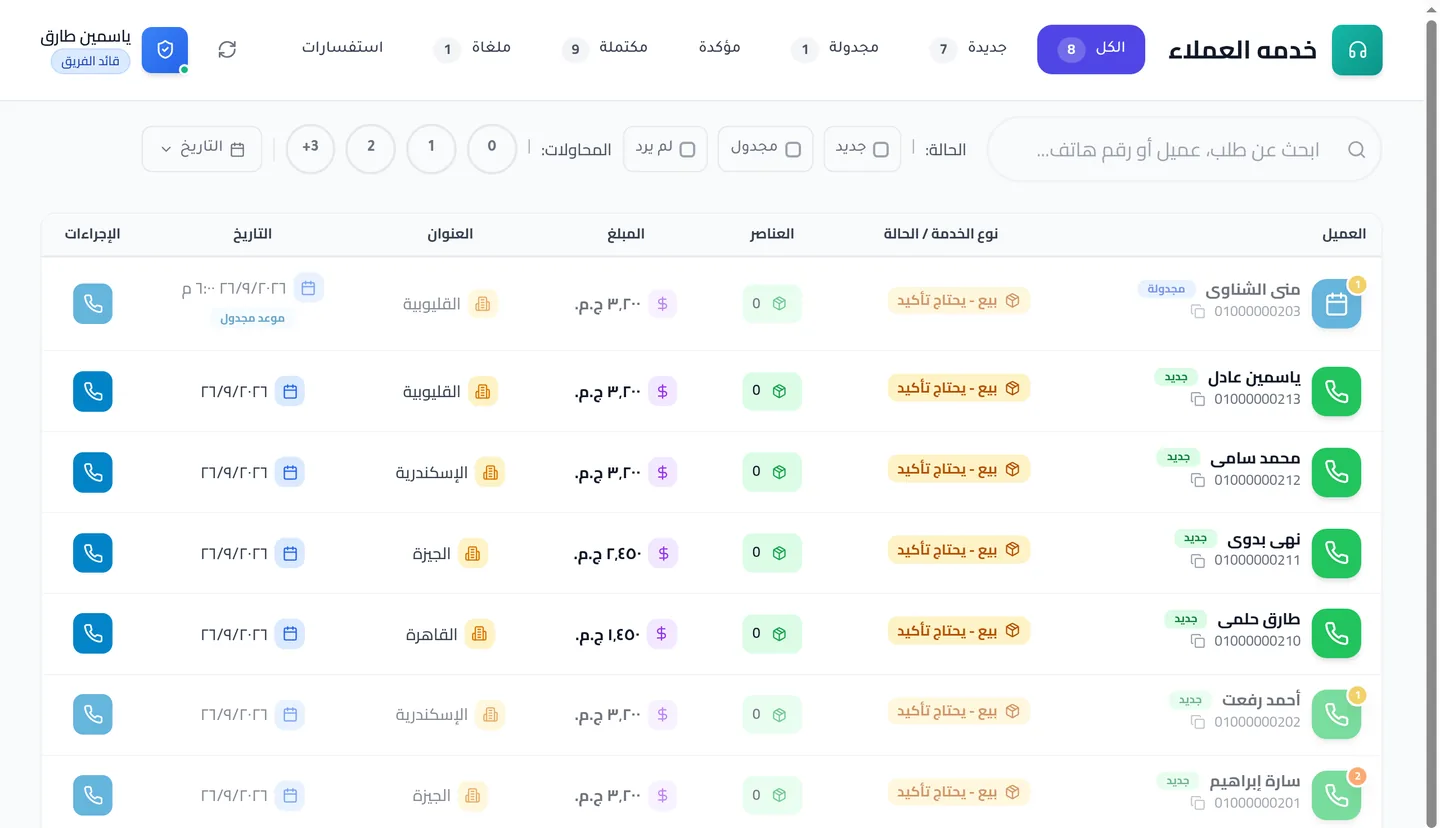
A call that isn’t answered doesn’t change the order. It logs an attempt and
pushes the next try 4 hours later, and the status stays where it was
(call_center_api.py:1277-1289). Three missed calls don’t make an order
disappear; an agent still has to decide.
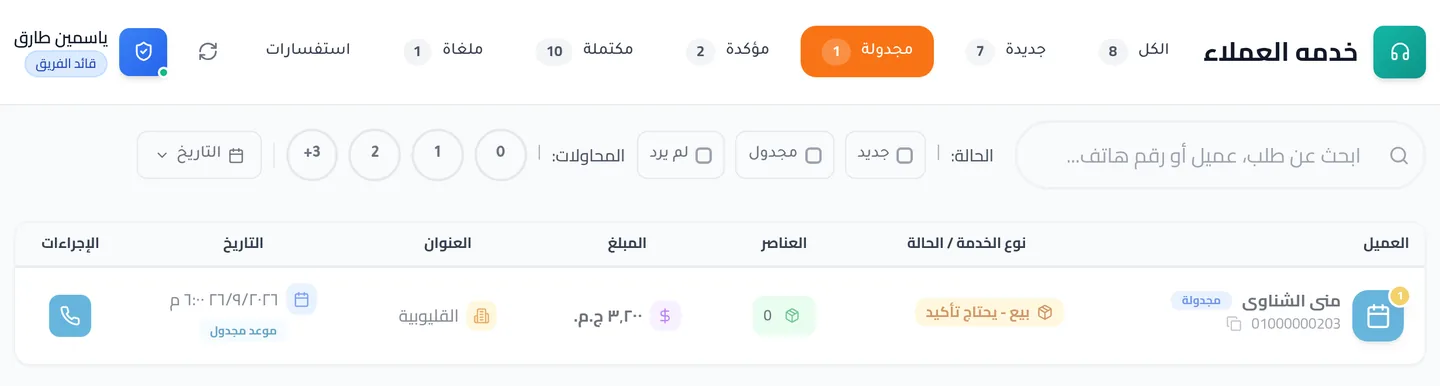
If the customer asks to be called back, the agent schedules it, and the order carries the appointment in the queue:
One door from an order to a ticket
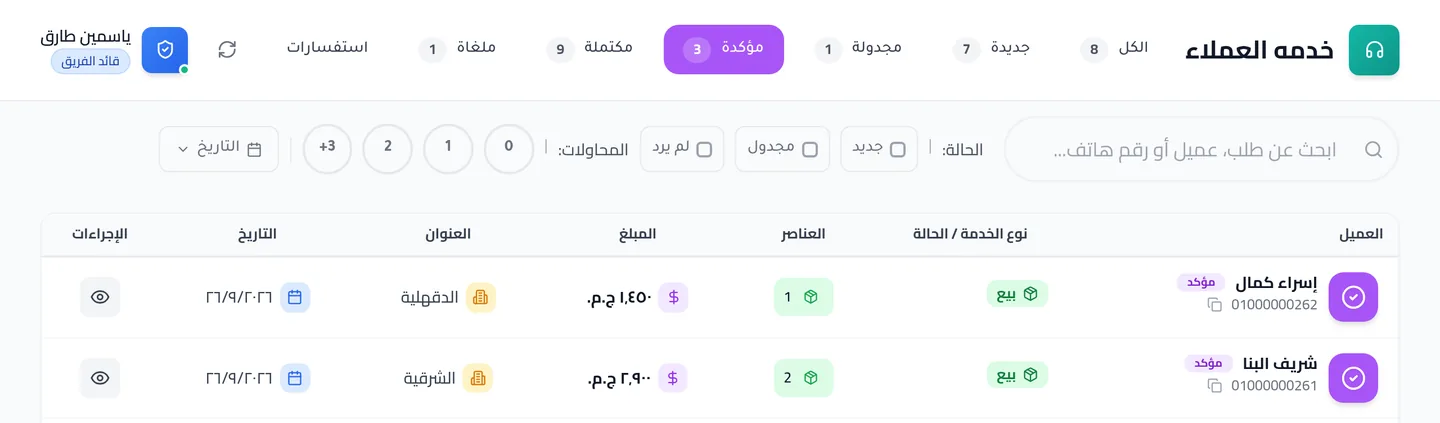
A customer saying yes on the phone doesn’t create any work yet. The agent’s confirmation saves what was agreed, the items, the amount and the address, as a snapshot on the order, and the order waits for a team leader:
The leader opens the snapshot, can correct it, and approves. The dialog says what the button does before anyone presses it:
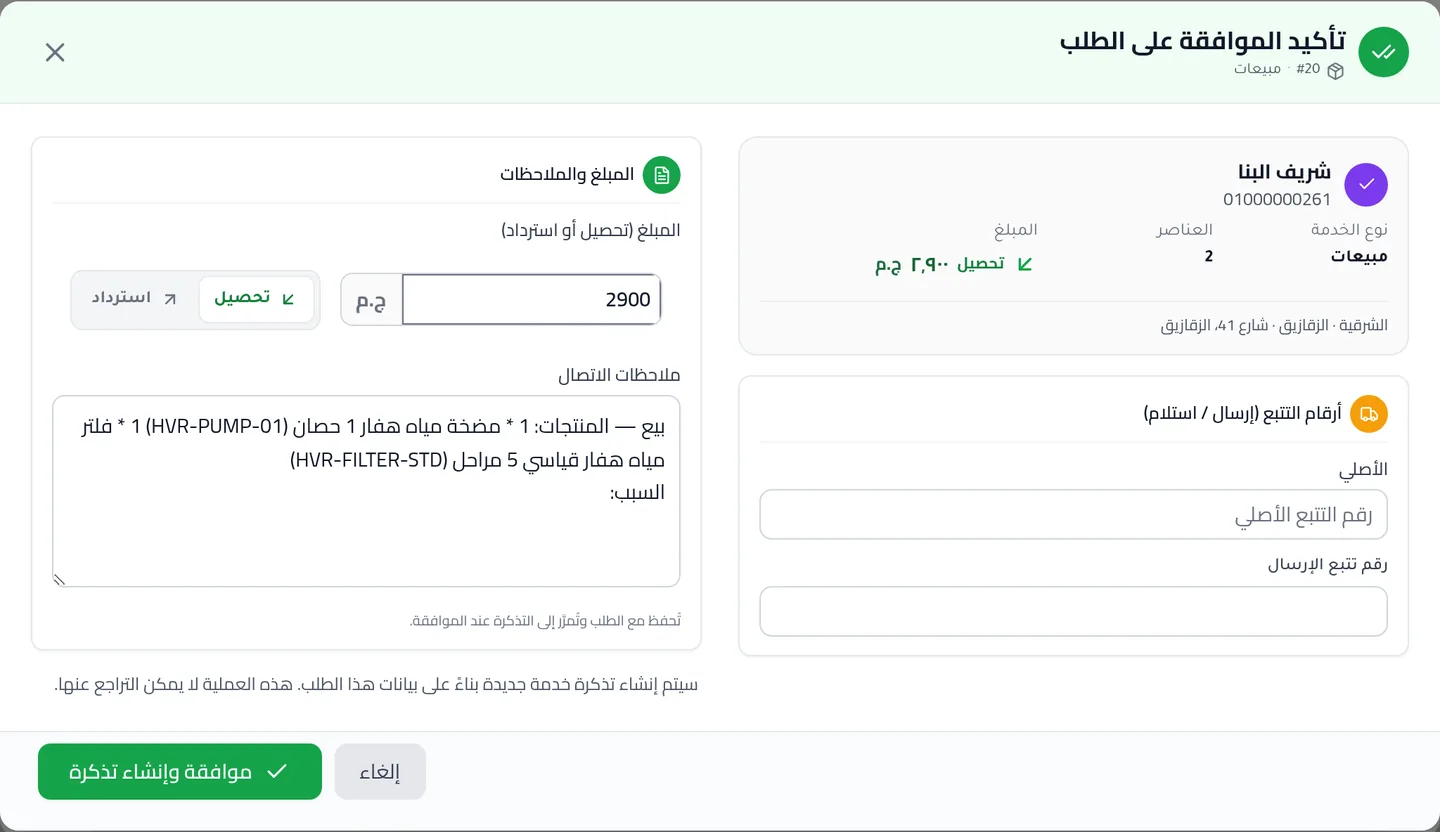
This is the only way an order becomes a ticket, and it works once. Every
path that would convert an order checks first whether it already has a
ticket, and refuses with ORDER_ALREADY_CONVERTED if it does. A double click
or two leaders on the same order can’t send a customer two pumps.
The warehouse gets exactly what was agreed
The approved order shows up in the warehouse as a new ticket: same customer, same amount, same two items. This is where one team hands the order to the next:
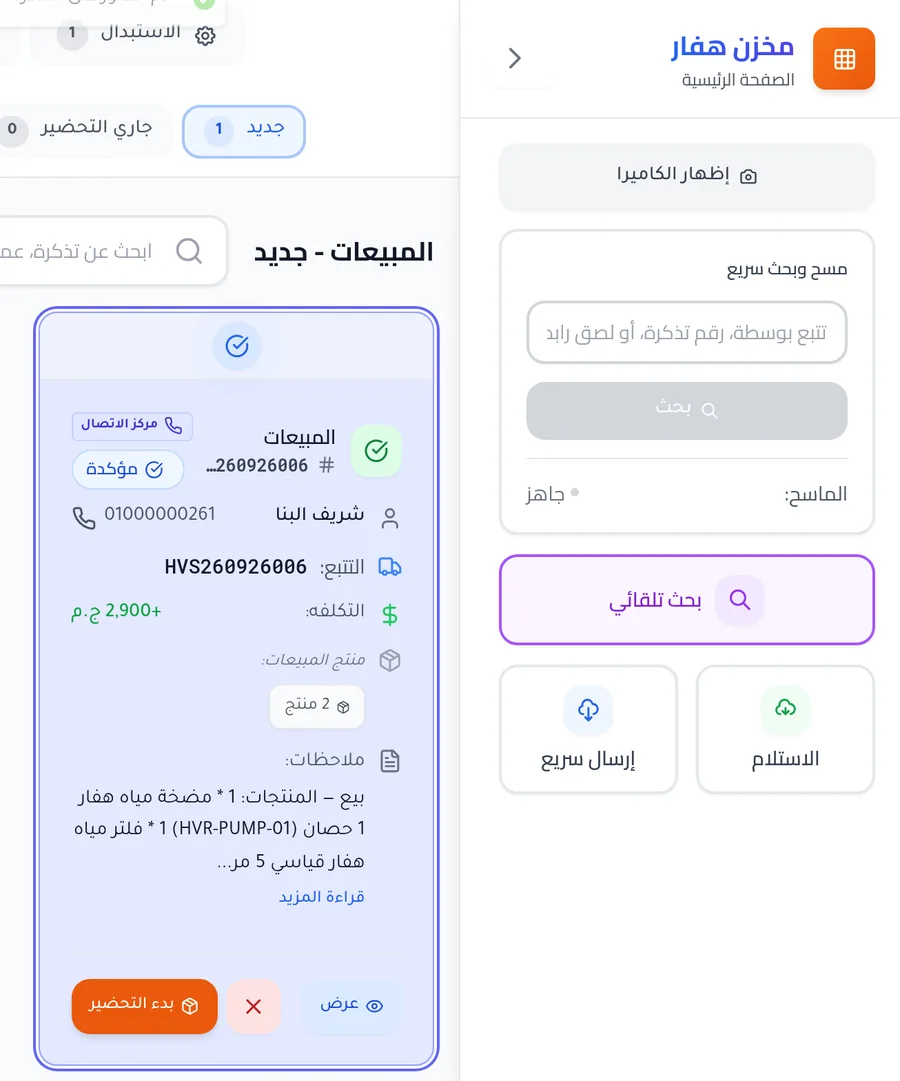
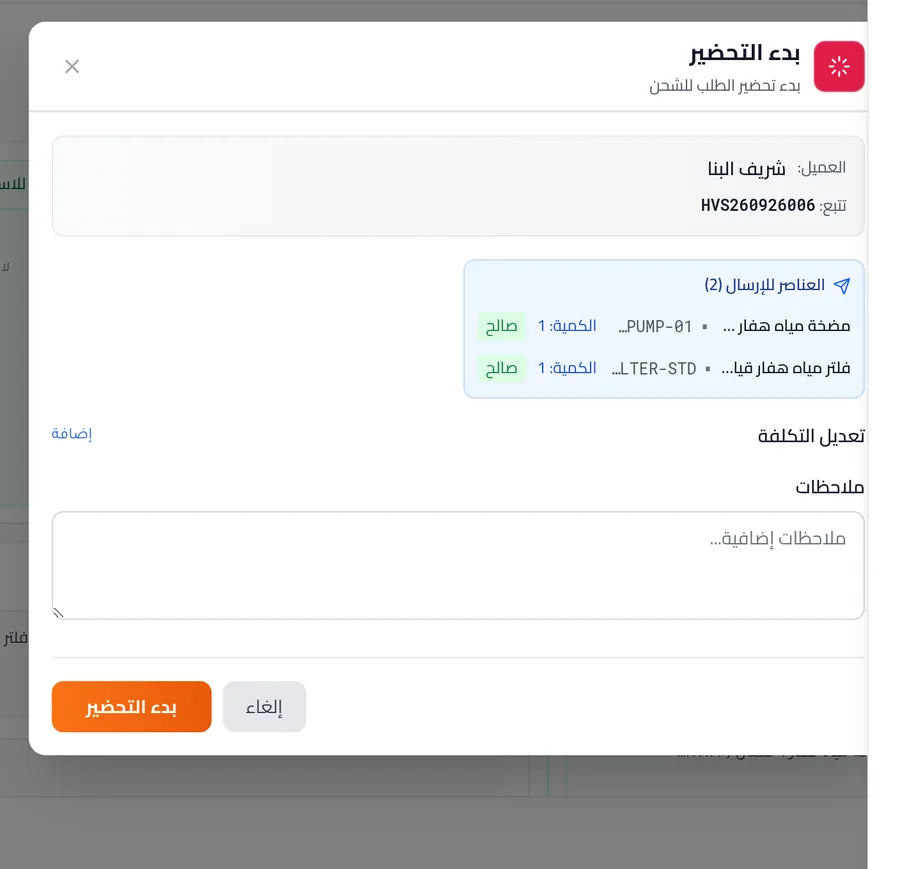
Stock follows a rule that’s easy to misread: a confirmed sale
reserves parts only. Finished products are skipped and are allowed to go
negative on purpose, as a backorder (stock_manager.py:11). So Sherif’s pump
and filter reserved nothing. HVAR would rather take the order and restock
than refuse a customer who already said yes on the phone.
The scanner typed a tab
A parcel leaves when it’s scanned. Once packed, tickets wait in a column beside the scan panel:
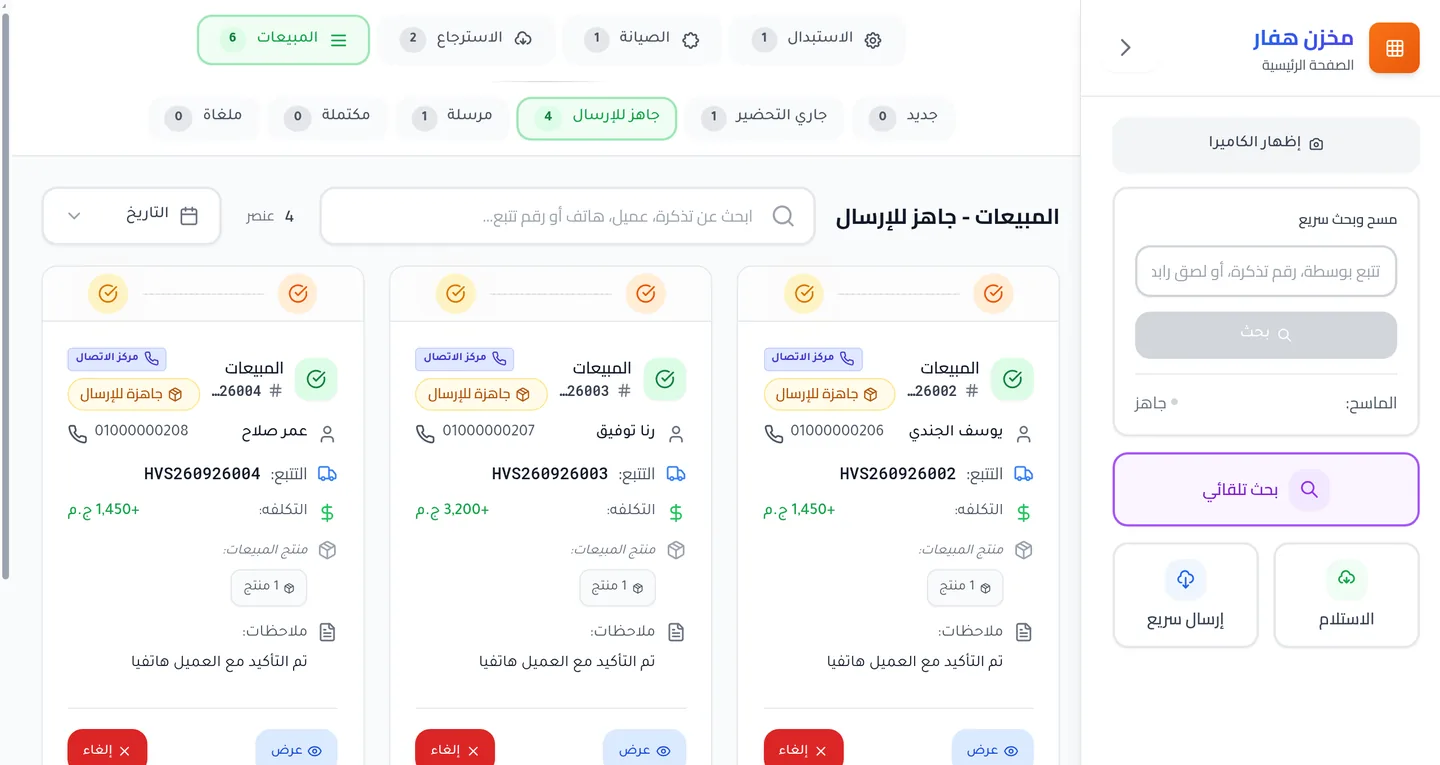
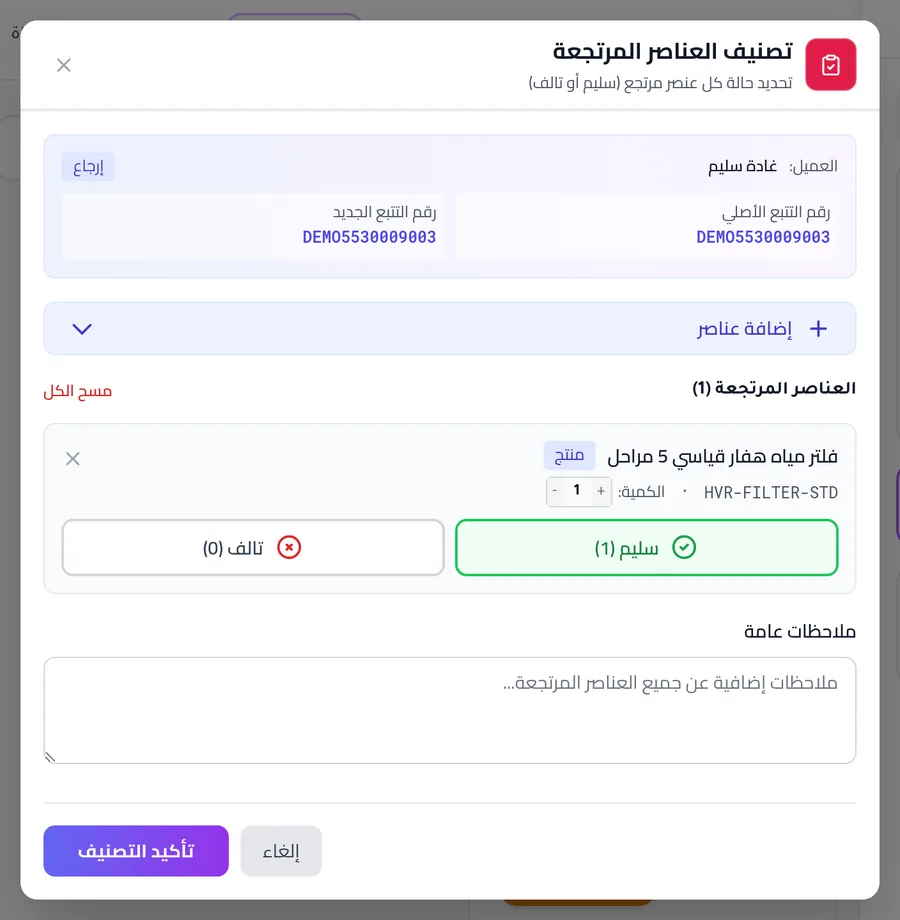
In May 2026, 36 replacement tickets stopped leaving. The barcode scanners were typing a tab before every number, and lookups compared tracking numbers exactly, so no ticket ever matched. The fix went in at three layers: every entry point strips whitespace, the lookup trims again in SQL, and a one-time cleanup fixed 1,341 records that already held a leading space or tab.
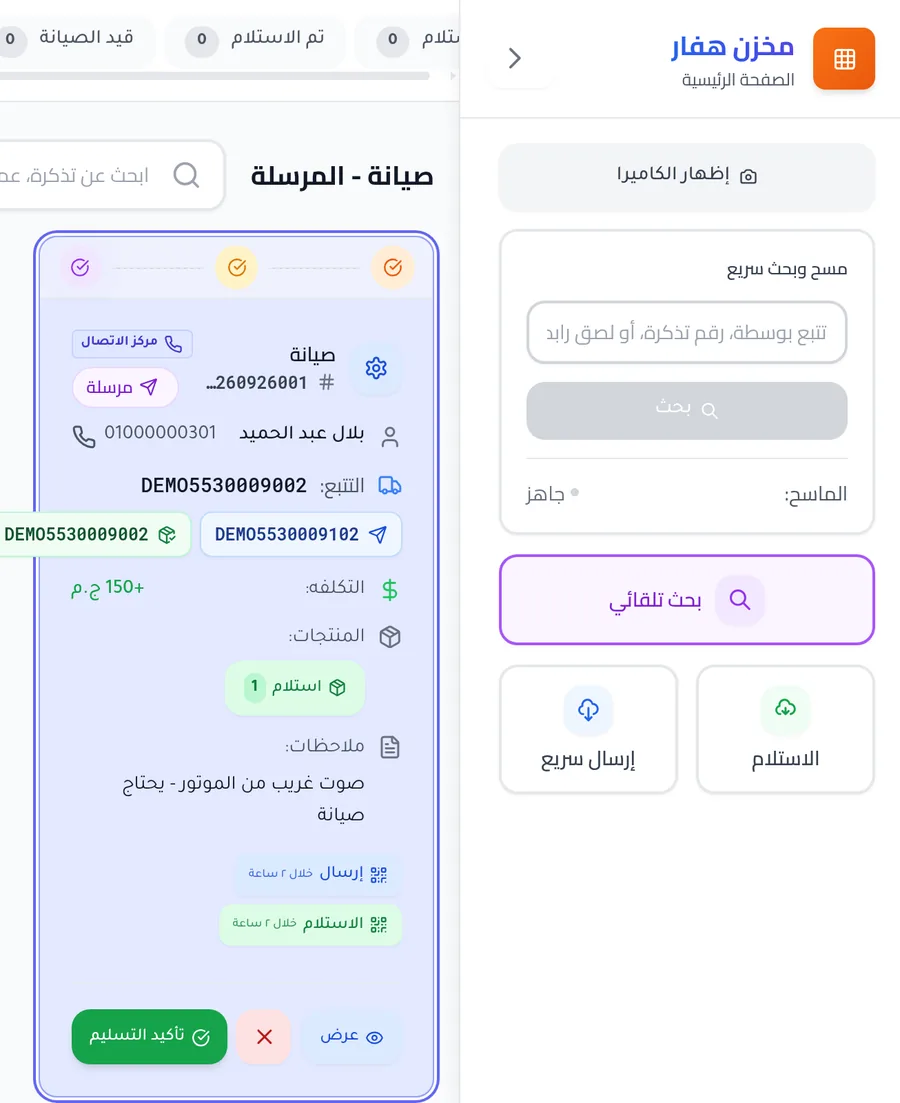
Four kinds of ticket, one table of rules
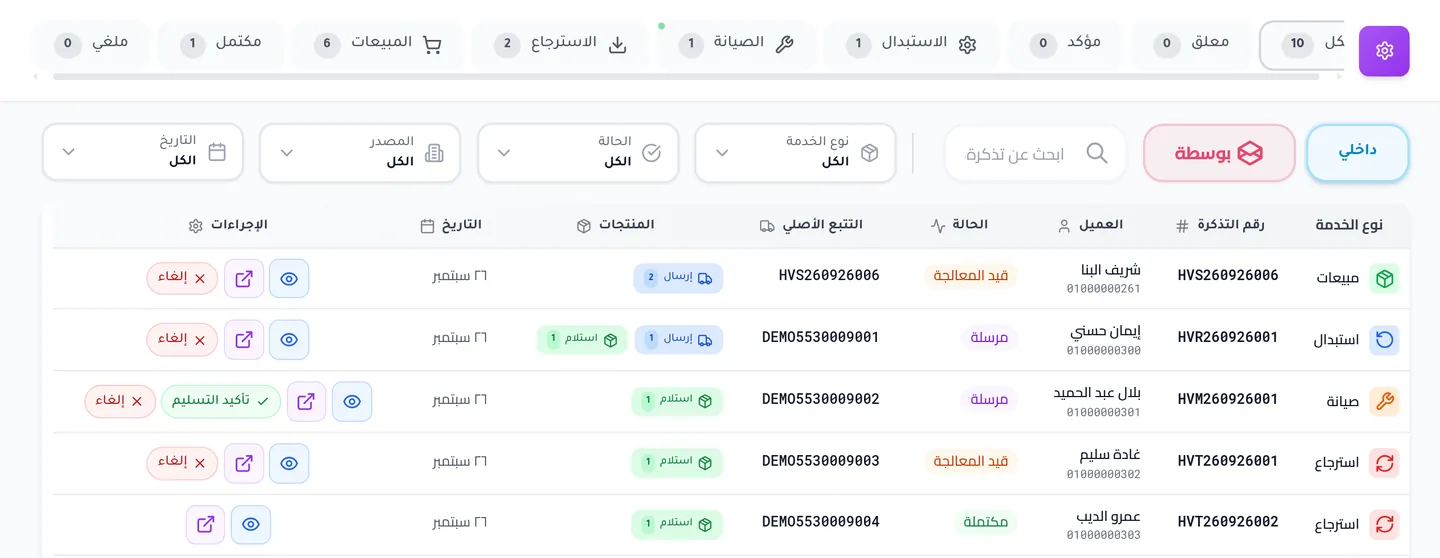
A sale isn’t the only thing that goes out. A replacement sends a new unit and
collects the old one. A repair collects a unit and sends it back fixed. A
return only collects. HVAR runs all four through one function,
_validate_state_transition(), and one table of allowed moves:
'return': {
  'PENDING': ['CONFIRMED', 'CANCELLED'],
  'CONFIRMED': ['IN_PROCESS', 'CANCELLED'],
  'IN_PROCESS': ['COMPLETED', 'CANCELLED'],
  'COMPLETED': [],
  'CANCELLED': []
},
A return has no dispatch step, because nothing is sent out. Replacement, repair and sale are three more blocks like this one in the same table. A move that isn’t listed raises an error that names both states.
An assistant that can read but not write
The last system is for people who’d rather ask than click. hvar-mcp
exposes the Hub and Bosta, the courier, as 101 tools for AI assistants,
so a question like “what happened today?” becomes a few calls instead of an
afternoon in dashboards.
32 of those tools change something: they approve an order, cancel a ticket, adjust stock. Those tools aren’t hidden behind a permission check. Unless a flag is set, they’re never registered, so an assistant can’t call a tool it can’t see:
for (const tool of tools) {
  if (tool.mutation && !allowWrites) {
      skipped++;
      continue;
  }
allowWrites comes from the environment and defaults to off. The comment above it: “Default is locked — safe for public deployments.”
What is not done
- The ERP’s order webhook is unauthenticated. An empty POST gets a 200. It’s filed as an issue on the ERP’s repository and isn’t fixed yet.
- The Hub reads ERP drafts from a screen’s data endpoint
(
/sells/draft-dt), not from an API built for it. It works, but only as long as that screen doesn’t change. - Courier tracking in the Hub is a pull, best-effort. The ERP is the side that pushes orders to Bosta and receives its delivery webhooks.
- Tests are thin. The storefront, the MCP server and the Hub’s Python side have none; the Hub’s front end has four test files. The MCP server’s open weaknesses are filed as an issue on its repository.
- A fresh install doesn’t run. Standing these demos up exposed columns that the code uses but no migration creates, and ERP build assets that aren’t in the repository. Both are written up for the team.
- The ERP is a fork, and it isn’t on this page. It’s a customized UltimatePOS, so it appears in the diagram and not in the screenshots.
- All four repositories are private.